What ApexPull is for
ApexPull helps you read a local market: how many businesses sit in a city and niche, how new they are, who already has a website, and who you can call. That works if you are opening a shop or if you sell websites.
Automatic calling, scraping personal emails, and a full CRM stay out of scope. Call scripts and email drafts are for you to review before you send.
New here? Follow the onboarding checklist (seven steps to understand a market).
Markets — list, compare, postcodes, trends
Open Markets. Tabs: All markets, Compare, Districts, Trends.
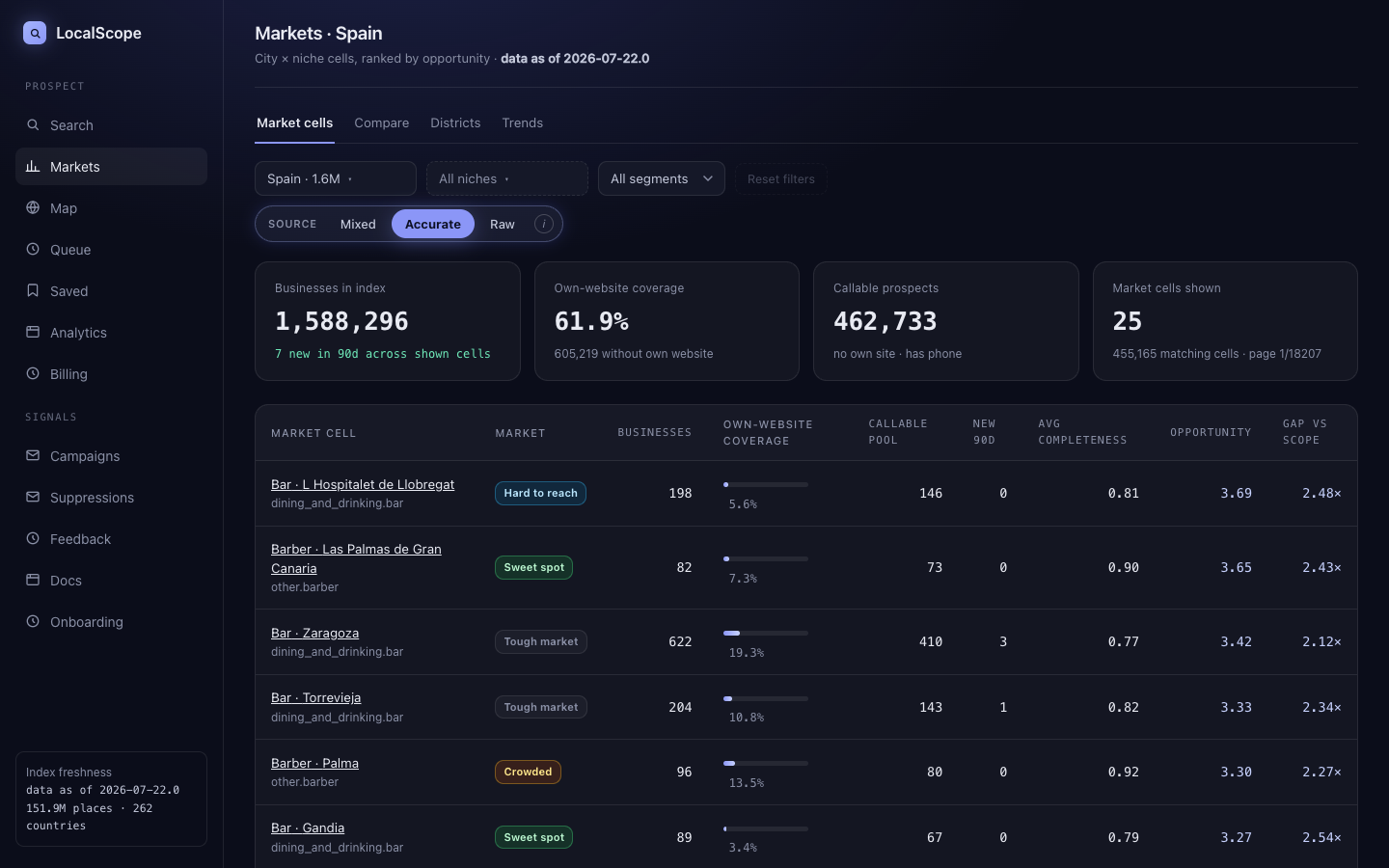
Size columns
Primary columns are businesses, new in 90 days, listing detail, and who has a phone. Click a row for the detail page, then Run market analysis for the map, nearby niches, and PDF.
Website mix (optional filter)
Own website and vs-country are website columns. You can also filter the list by who has a website and who has a phone:
- No website, has phone
- Has website, has phone
- No website, hard to reach
- Has website, hard to reach
Pagination uses ← prev · page X/Y · next → at the table foot.
Compare & districts
Compare shows denser vs thinner cities, then a side-by-side table. Districts drill into postcodes. The Fewest websites tab ranks niches and countries where the fewest have their own site.
Trends
Release-over-release movers (places and coverage deltas) between the two latest snapshots. Same pager as cells when there are many movers. Needs at least two loaded source releases.
Click a cell name to open market detail / analysis, or browse the full market in Search (default: any website).
Search — market browse & presence filters
Search lists businesses in the active country (and optional city/niche). Default is the full market (any website). Narrow to who has a website or a phone only when you need that cut.
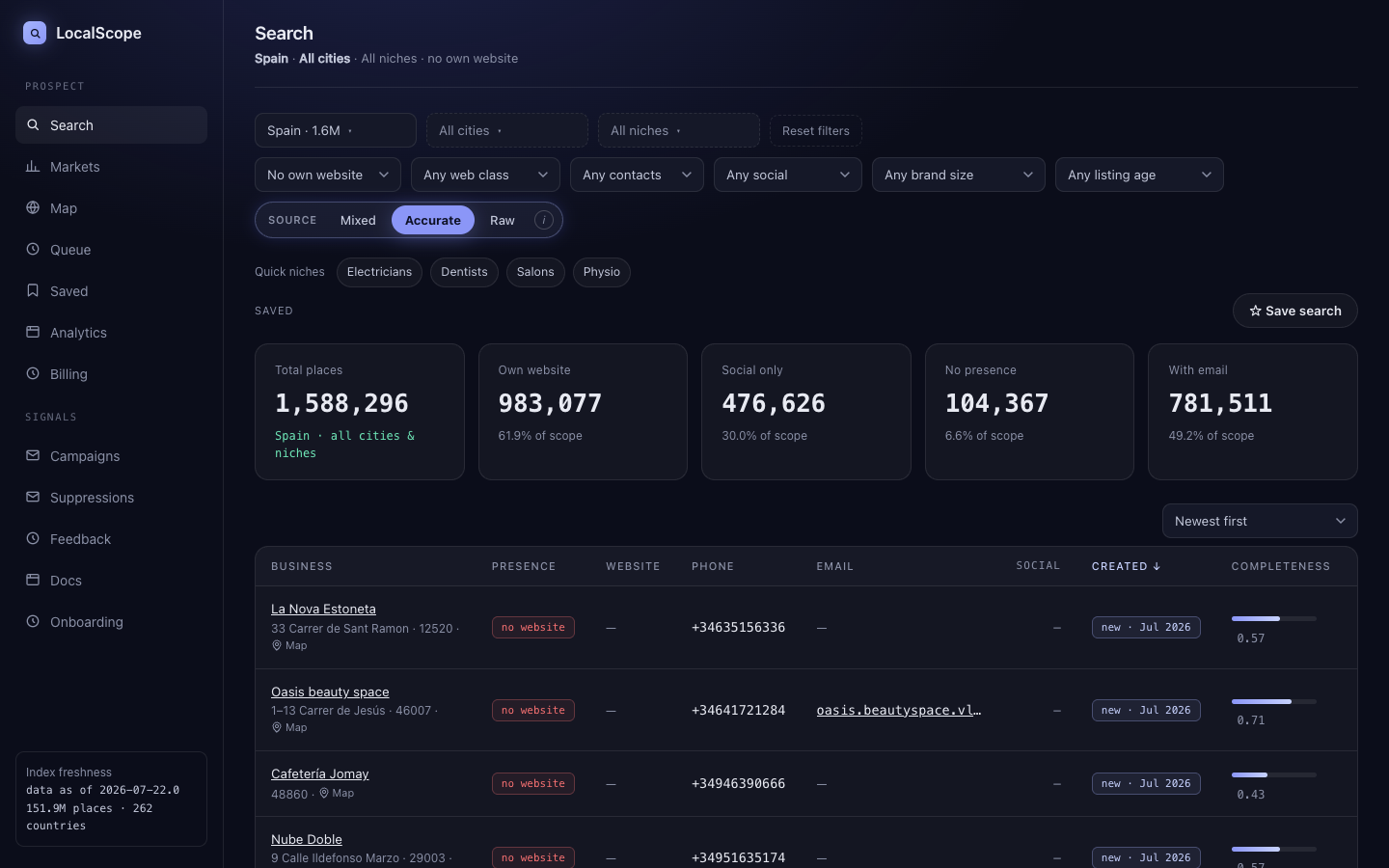
Filter bar
- Country / City / Niche — market scope (multi-select city & niche)
- Own website — any (default) / no own website / has own website
- Website type — own website, booking site, site builder, social only, no website
- Contact — phone, email, either
- Social — has / no social profile
- Size — independent vs chain
- Listing age — new in 90 / 180 / 365 days
- Source — Accurate (default), Raw, Mixed
Call-list cut
Set Own website → No own website and optionally Has phone when you want people to call. That is optional. The default list is everyone.
Studying an existing market
Keep Any website (default) or set Has own website to see who already has a site. Use Markets → analysis for postcodes and nearby niches, or Map / place pages for the neighborhood.
Saved searches
Save search stores the filter combo (not the rows). Locked accounts have a small quota — if Save fails with a plan limit, upgrade or delete an old saved search. Applying a chip re-runs the query on fresh data.
Results use the same pager: ← prev · page N · next → (keyset cursor under the hood; total page count is unknown so the label is page N).
Map — how many, no website, has phone
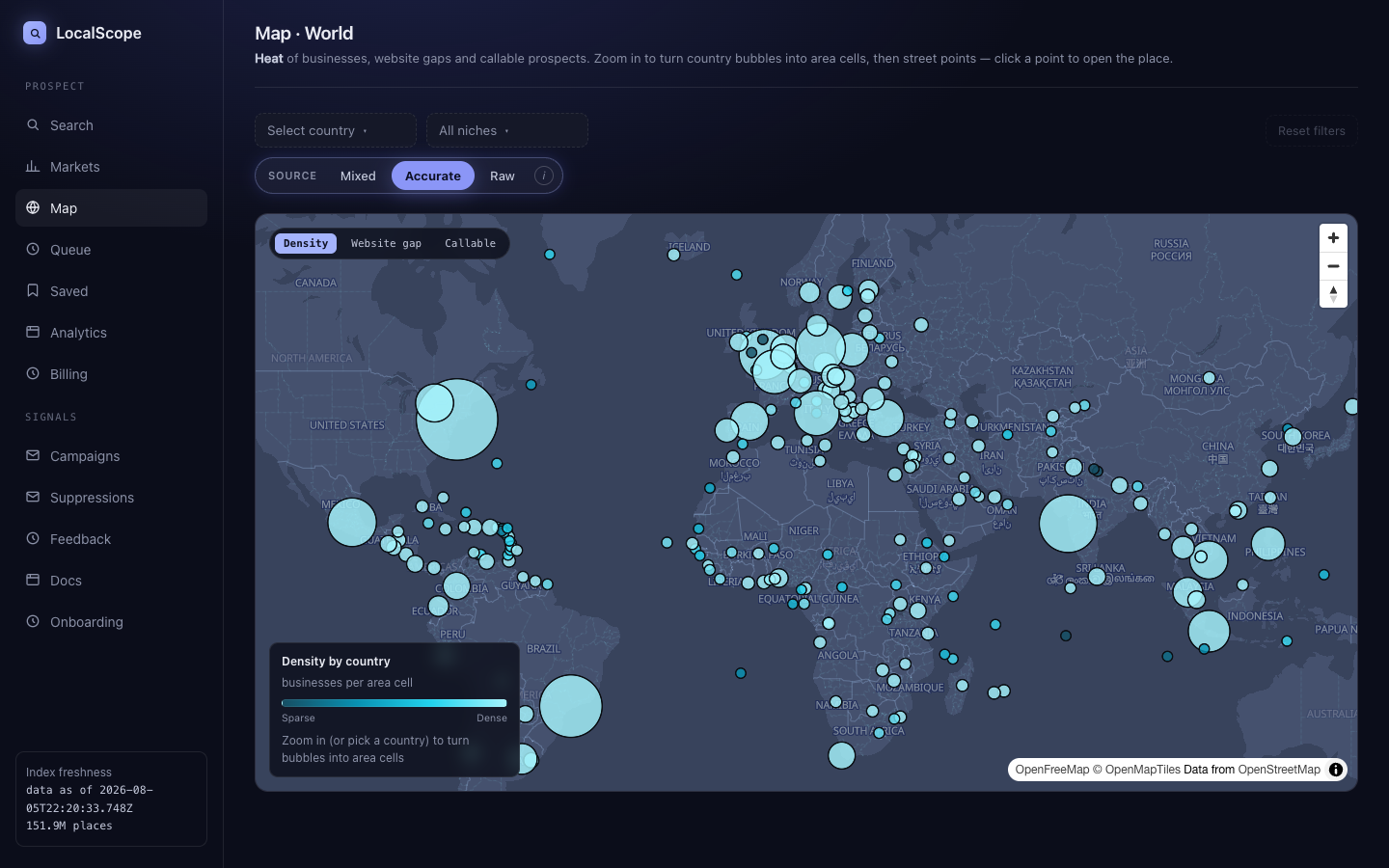
Map shows geographic coverage: country → denser geohash cells as you zoom. Default heat is how many; switch layers for no website or has phone. Country can auto-select from the viewport using catalog extents.
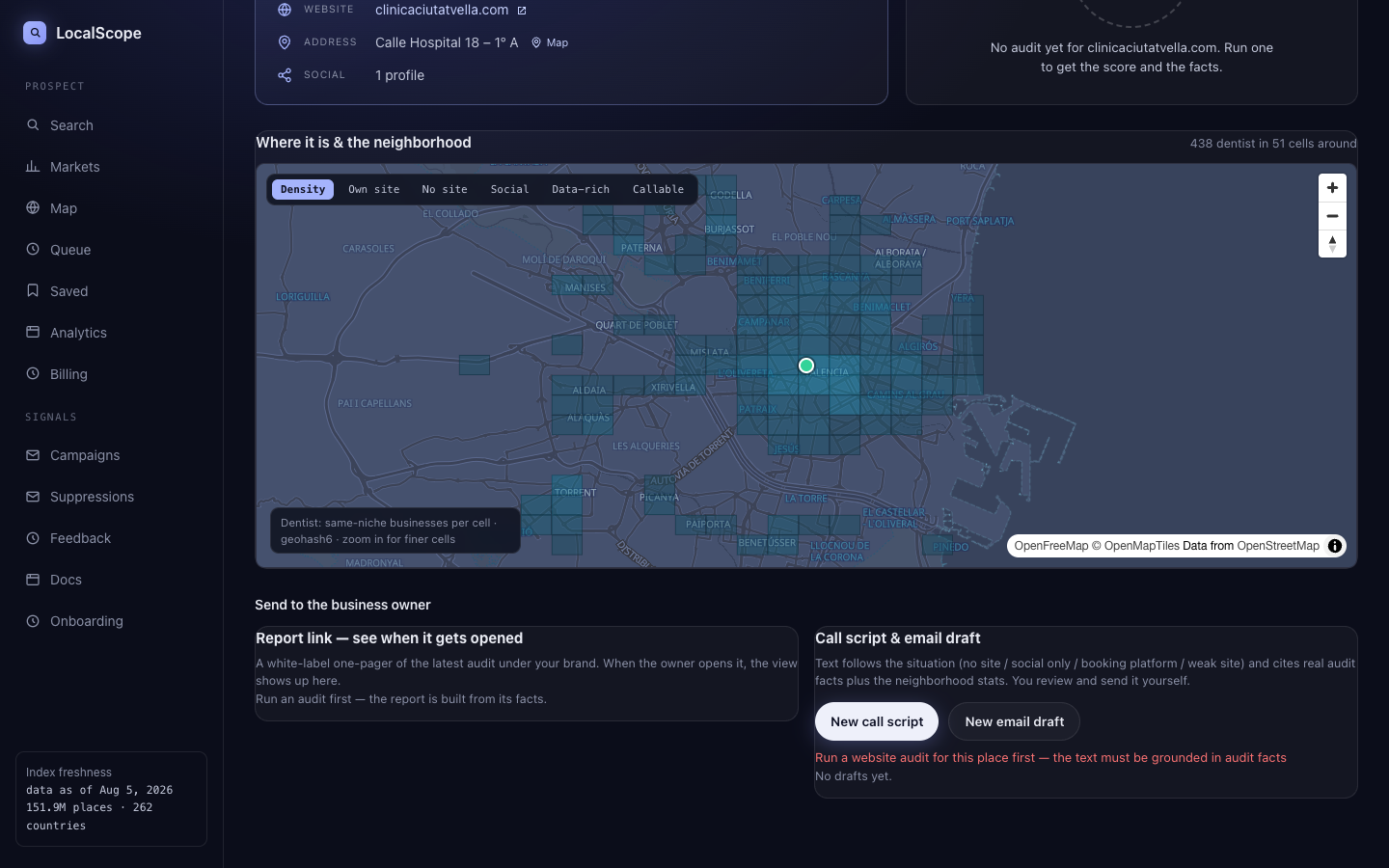
Place pages also embed a neighborhood map filtered to that business’s niche, so you see local competition, not every listing in the city.
Place page — audit & outreach
Open any business from Search or Saved. Run an audit for factual site issues (meta, HTTPS, llms.txt, etc.). Under Send to the business owner:
- Report link — white-label one-pager under your brand; open tracking shows up when the owner views it. Left card does not stretch when scripts grow.
- Call script / email draft — situation-specific text from audit facts + neighborhood stats. Review, copy, mark as sent, or delete. Template path is not generative AI unless marked AI-assisted.
Spain B2B cold email: check consent / Lista Robinson before sending — the product shows a compliance note; you remain responsible for the send.
Queue & Saved
Saved pins places for outreach. Export is available where enabled. Queue is the working list for follow-ups and statuses — not a full CRM.
Analytics
Analytics summarizes your outreach outcomes by niche, city, and website type, so you can see which markets actually convert.
Campaigns & suppressions
Automated email is opt-in under Settings → Campaigns. Suppression list and daily quotas always apply. Auto-DM and auto-dialing are out of scope.
Manage suppressions at Settings → Suppressions.
Data source modes
- Accurate — listings backed by verified map data (product default)
- Raw — fuller catalog origin; more volume, can be less complete
- Mixed — union of both
The same switch appears on Markets, Search, and Map so KPI cards and lists stay consistent with the table below.
Billing & quotas
Search and filters are not credit-gated. Quotas apply to expensive actions (saved searches, audits, exports, campaign sends) per plan — see Billing and Pricing.